
Kurt and SJ,
First off, thanks for taking and sharing so many great photos with us.
Secondly, is there any way you guys could make the really cool photos in 800 x 600 resolution? When some of the pictures are stretched across the computer desktop they either get warped or grainy.
RobertRobertBeach ComberAthens, GA42 postsJoined View profileMessageBeach Comber
RobertBeach ComberAthens, GA42 postsJoined View profileMessageBeach Comber2,994 views
Replies
21
KurtKurtAdminSoWal2,472 postsJoined View profileMessageAdmin
KurtAdminSoWal2,472 postsJoined View profileMessageAdminKurt and SJ,
First off, thanks for taking and sharing so many great photos with us.
Secondly, is there any way you guys could make the really cool photos in 800 x 600 resolution? When some of the pictures are stretched across the computer desktop they either get warped or grainy.
Thanks!
If you mean in the gallery - and you are using them as wallpaper you have 2 options. Click on the photo in the gallery which may be linked to a larger version. Or center the photo on your desktop - right click on your desktop, select properties, select appearance tab, beside wallpaper selection select center instead of stretch.
I know 🙂biggrin: ) but I was going to get one of my programmers to make us a screen saver program. One that ppl can download and install.
aquaticbiologyaquaticbiologyfishlipsredneck heaven799 postsJoined View profileMessagefishlips
aquaticbiologyfishlipsredneck heaven799 postsJoined View profileMessagefishlipsd***, kurt, copyright's rock!
KurtKurtAdminSoWal2,472 postsJoined View profileMessageAdmin
KurtAdminSoWal2,472 postsJoined View profileMessageAdminI know 🙂biggrin: ) but I was going to get one of my programmers to make us a screen saver program. One that ppl can download and install.
I have an old one that I need to update.
http://graytonbeach.com/index1.html
Grayton Beach area slide show - This slide show is also available as a free screen saver (3mb download), which has even more images from the Grayton Beach area. Save ?grayton1.2.exe? to desktop, and simply double-click when it?s through downloading to install. Download Screensaver (or click run).
d***, kurt, copyright's rock!I would only do it with their permission and with the dot com labels on the photos. I would not do it otherwise.
I have an old one that I need to update.That is very nice! Lets do another one! I love the photos and think everybody should see them.
http://graytonbeach.com/index1.html
Grayton Beach area slide show - This slide show is also available as a free screen saver (3mb download), which has even more images from the Grayton Beach area. Save ?grayton1.2.exe? to desktop, and simply double-click when it?s through downloading to install. Download Screensaver (or click run).

Smiling JOeSmiling JOeSoWal Expert31,643 postsJoined View profileMessageSoWal Expert
Smiling JOeSoWal Expert31,643 postsJoined View profileMessageSoWal ExpertRobert, most all of my photos are much larger than 800x600. The only exceptions are soon after major storms when I try to take numerous photos and upload. The larger files makes uploading a slow process. The only other exception is when this site refuses to accept my larger files, which happens only occaisonally. I guess one other exception would be my avatars, which are all 200x200. The way to get the larger size images for my photos is to go to my photo album and when the photo comes up, you should be able to click on it and enlarge it at least once, most you can enlarge twice. When I paste these onto a thread, this site automatically reduces them to 600x400.
You are welcome to use my photos as long as you are not selling them. If that is the case, I want a cut.
:lol:
You are welcome to use my photos as long as you are not selling them. If that is the case, I want a cut.
:lol:
Robert, most all of my photos are much larger than 800x600. The only exceptions are soon after major storms when I try to take numerous photos and upload. The larger files makes uploading a slow process. The only other exception is when this site refuses to accept my larger files, which happens only occaisonally. I guess one other exception would be my avatars, which are all 200x200. The way to get the larger size images for my photos is to go to my photo album and when the photo comes up, you should be able to click on it and enlarge it at least once, most you can enlarge twice. When I paste these onto a thread, this site automatically reduces them to 600x400.Cool. Not for sale, just for fun and enjoyment. Thank you! Right now I am using the same one I have as an avatar for my desktop. :lol: The more you look at the pictures, the more addicted to them you get. My wife thinks I am a beach photo junkie. Of which I readily admit! 🙂
You are welcome to use my photos as long as you are not selling them. If that is the case, I want a cut.
:lol:
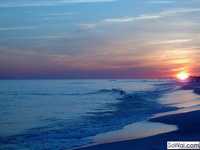
Check this out: http://planetreload.com/photoart/sunset/

wintersbkwintersbkBeach FanaticTEXAS270 postsJoined View profileMessageBeach Fanatic
wintersbkBeach FanaticTEXAS270 postsJoined View profileMessageBeach FanaticCheck this out: http://planetreload.com/photoart/sunset/
Very Cool!!! :clap_1:
PaulaPaulaBeach FanaticMichigan but someday in SoWal as well3,747 postsJoined View profileMessageBeach Fanatic
PaulaBeach FanaticMichigan but someday in SoWal as well3,747 postsJoined View profileMessageBeach FanaticThat's indeed amazing, SJ. I would never work if I had something like that sunset as as screen saver (can that be made into a screen saver?). I think it would be fascinating to have it on my computer while having a meeting with the person's chair facing the computer. I don't think they'd be able to concentrate on work and we'd probably both leave the office to go on vacation. Is it safe to look directly into the sun when the sun is in the computer? :cool:
Smiling JOeSmiling JOeSoWal Expert31,643 postsJoined View profileMessageSoWal Expert
Smiling JOeSoWal Expert31,643 postsJoined View profileMessageSoWal ExpertThat's indeed amazing, SJ. I would never work if I had something like that sunset as as screen saver (can that be made into a screen saver?). I think it would be fascinating to have it on my computer while having a meeting with the person's chair facing the computer. I don't think they'd be able to concentrate on work and we'd probably both leave the office to go on vacation. Is it safe to look directly into the sun when the sun is in the computer? :cool:Sorry for any confusion, but that is Robert's screensaver and Robert's photo.

seagroveloverseagroveloverlittle sugarSt Louis Missouri2,984 postsJoined View profileMessagelittle sugar
seagroveloverlittle sugarSt Louis Missouri2,984 postsJoined View profileMessagelittle sugarCheck this out: http://planetreload.com/photoart/sunset/That is very, very cool.............. :bow:
Sorry for any confusion, but that is Robert's screensaver and Robert's photo.SJ, that is your picture. I just jazzed it up a little with a Java applet.😀
Smiling JOeSmiling JOeSoWal Expert31,643 postsJoined View profileMessageSoWal Expert
Smiling JOeSoWal Expert31,643 postsJoined View profileMessageSoWal ExpertSJ, that is your picture. I just jazzed it up a little with a Java applet.😀
:doh: I did not even recognize it. Thanks for the correction to the correction which was not a correction at all. :lol:
KurtKurtAdminSoWal2,472 postsJoined View profileMessageAdmin
KurtAdminSoWal2,472 postsJoined View profileMessageAdminCheck this out: http://planetreload.com/photoart/sunset/
:cool:
Smiling JOeSmiling JOeSoWal Expert31,643 postsJoined View profileMessageSoWal Expert
Smiling JOeSoWal Expert31,643 postsJoined View profileMessageSoWal ExpertOooh! I did not see all of that the first time I looked. All I saw the first time was a simple photo, and I thought it was a good photo, but nothing to woo about for a screen saver.
WOW! Glad I looked again. That is really cool. Can you do a repeat loop of the waves coming in and going out?
WOW! Glad I looked again. That is really cool. Can you do a repeat loop of the waves coming in and going out?
I don't know how to do that. This one is just a static picture with the "hue" changing.
SJ, I hate to tell you this. I told you wrong. That photo is from ladybug8876's gallery. Good Job ladybug! Sorry SJ.
Checking your forum account
Please wait while we verify your forum account.