
How is that for a recycled smiling face?
More new photos in my photo album.



Dag, if I knew it was gonna look so good in August, I wouldn't have booked a trip to Playa Del Carmen instead of Seagrove Beach --- You must have some special Time Machine digi-cam. Your new pics all say 8/26/05 in the photo gallery.No Time Machine digi-cam. Just a typo and copy/paste error gone BIG-TIME. Thanks for the correction. They should read 6/26/2005.
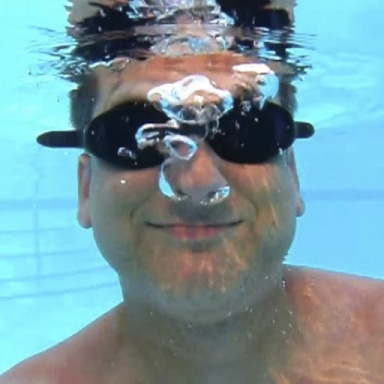
Dag, if I knew it was gonna look so good in August, I wouldn't have booked a trip to Playa Del Carmen instead of Seagrove Beach --- You must have some special Time Machine digi-cam. Your new pics all say 8/26/05 in the photo gallery.


More new photos in my photo album.
Great pictures SJ. PS. I will miss your Power Ranger. Are you too old to play now?Thanks. No I will never be to old to play, but I am always undergoing change. My other photos I want to use for avatars are way too many pixels for this board.
Just downsize them SJ. Photoshop works wonders, but anything will do.Even using Photoshop, I don't know how to decrease the number of pixel to 200x200 without cropping off the majority of my photo. I think I would have to change the quality setting on my camera, which gives a fuzzier photo, and I don't care to do that since I have a big card. Any ideas to help?

Edited
In your user cp under avatar option, link to off site avatarYou are too cool :clap_1: How do you shrink the number of pixels?
http://www.sowal.com/frog.jpg
You are too cool :clap_1: How do you shrink the number of pixels?
You need a graphics or photo editing program to resize.No, I need a book to instruct me how to use one of the photo editing programs which I have. It is on my list, and I have only just begun to explorer photo manipulation.
No, I need a book to instruct me how to use one of the photo editing programs which I have. It is on my list, and I have only just begun to explorer photo manipulation.

Kurt, have you tried Irfanview? I've found it to be the best I've tried for downsizing photos while retaining quality and picture size. These days, I upload with Nikon software, crop and tweak with Photoshop, and resize with Irfanview. Works great, but takes a lot longer!
Love the frog SJ! If you are using Photoshop (I have 7.0), for instance, you would pull up your photo, click on "Image" on the top tool bar, and then choose "Image Size" from the drop down menu. From there you can just put in what size you need it, and presto-chango, it's done.

You are too good. Thanks for the tips. It looks like they work well.
Please wait while we verify your forum account.
